Error PKIX path building failed When Connecting to Keycloak with a Self Signed Certificate

For this scenario im using Keycloak version 17, which are being installed by using below command.

docker pull quay.io/keycloak/keycloak:17.0.0

And being run by using below command,

docker run -p 8443:8443 -e KC_HOSTNAME=localhost:8443 \ 
	-e KC_HOSTNAME_URL=https://localhost:8443 -e KC_DB=mysql \ 
	-e KC_DB_USERNAME=keycloak -e KC_DB_PASSWORD=password \ 
	-e KC_DB_URL=jdbc:mysql://192.168.56.1:3306/keycloak_db \
	quay.io/keycloak/keycloak:17.0.0 start

As for the Spring Boot sourcecode, we are utilizing the same code that are being used in below article,

https://github.com/edwin/spring-boot-and-rhsso

So lets start by setting up our application.properties to pointing to Keycloak’s HTTPS port

keycloak.auth-server-url=https://localhost:8443/
keycloak.realm=external
keycloak.resource=client
keycloak.public-client=false
keycloak.bearer-only=false
keycloak.principal-attribute=preferred_username
keycloak.credentials.secret=xxxxxx

But when HTTPS is created by using a self signed certificate, it will display below error from the Java application console.

o.k.adapters.KeycloakDeployment - Failed to load URLs from https://localhost:8443/realms/external/.well-known/openid-configuration
javax.net.ssl.SSLHandshakeException: PKIX path building failed: sun.security.provider.certpath.SunCertPathBuilderException: unable to find valid certification path to requested target
	at java.base/sun.security.ssl.Alert.createSSLException(Alert.java:131)
	at java.base/sun.security.ssl.TransportContext.fatal(TransportContext.java:349)
	at java.base/sun.security.ssl.TransportContext.fatal(TransportContext.java:292)
	at java.base/sun.security.ssl.TransportContext.fatal(TransportContext.java:287)
Caused by: sun.security.validator.ValidatorException: PKIX path building failed: sun.security.provider.certpath.SunCertPathBuilderException: unable to find valid certification path to requested target
	at java.base/sun.security.validator.PKIXValidator.doBuild(PKIXValidator.java:439)
	at java.base/sun.security.validator.PKIXValidator.engineValidate(PKIXValidator.java:306)
	at java.base/sun.security.validator.Validator.validate(Validator.java:264)
	at java.base/sun.security.ssl.X509TrustManagerImpl.validate(X509TrustManagerImpl.java:313)
	at java.base/sun.security.ssl.X509TrustManagerImpl.checkTrusted(X509TrustManagerImpl.java:222)
	at java.base/sun.security.ssl.X509TrustManagerImpl.checkServerTrusted(X509TrustManagerImpl.java:129)
	at java.base/sun.security.ssl.CertificateMessage$T13CertificateConsumer.checkServerCerts(CertificateMessage.java:1340)
	... 86 common frames omitted
Caused by: sun.security.provider.certpath.SunCertPathBuilderException: unable to find valid certification path to requested target
	at java.base/sun.security.provider.certpath.SunCertPathBuilder.build(SunCertPathBuilder.java:141)
	at java.base/sun.security.provider.certpath.SunCertPathBuilder.engineBuild(SunCertPathBuilder.java:126)
	at java.base/java.security.cert.CertPathBuilder.build(CertPathBuilder.java:297)
	at java.base/sun.security.validator.PKIXValidator.doBuild(PKIXValidator.java:434)
	... 92 common frames omitted

Thats why we need to include Keycloak’s custom SSL certificate into our Spring Boot application so that Spring Boot able to recognize a self sign certificate.

We can start by using OpenSSL to capture Keycloak’s SSL Certificate

echo "" | openssl s_client -connect localhost:8443  -showcerts 2>/dev/null | openssl x509 -out certfile.cert

It will generate a certificate which is belongs to Keycloak, next step is to create a truststore to contain the corresponding certificate. Below command will create a keystore with the name of “customcacerts” and its password which is “changeit”

keytool -import -alias ca -file certfile.cert \
         -keystore customcacerts  -storepass changeit

And we can run our Spring Boot application with below command, using the created truststore and its password as parameter.

java -Djavax.net.ssl.trustStore=customcacerts \
         -Djavax.net.ssl.trustStorePassword=changeit -jar spring-boot.jar

[Spring Boot] Create application.properties Default Value from Environment Variables

Usually we have below code on application.properties

hello=${HELLO_ENV_VARIABLE}

It means that we are setting the value of variable “hello” from “HELLO_ENV_VARIABLE” which are being passed on thru environment variables. Which later on we can set on IntelliJ

Later on, we can call it from our Java Class,

@RestController
public class HelloWorldController {

    @Value("${hello}")
    private String hello;

    @GetMapping("/")
    public Map index() {
        return new HashMap() {{
            put("hello", hello);
        }};
    }
}

We can also create a default value, in case of “HELLO_ENV_VARIABLE” is not being set,

hello=${HELLO_ENV_VARIABLE:something not world}

But what most people forgot is that we can also create a default value from other environment variable

hello=${HELLO_ENV_VARIABLE:${HELLO_ENV_VARIABLE_BACKUP}}

And set it up on IntelliJ

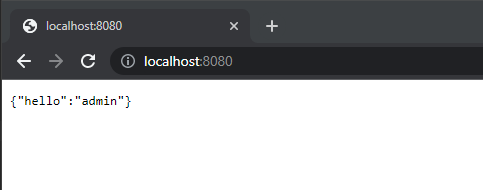
It will result in something like this,

{"hello":"this is a backup variable"}

Using Infinispan to Store Spring Boot’s HTTP Session

There are multiple ways of externalizing http session in Spring Boot, we can use a regular SQL database, or even a no-sql approach such as using Infinispan. For this sample, we are trying to integrate Spring Boot with Spring Security and externalizing its session to Infinispan.

So lets start with running an Infinispan instances,

$ docker pull infinispan/server:latest

$ docker run -p 11222:11222 -e USER=admin -e PASS=password infinispan/server

And create a new cache with the name of “app-session”, with a lifespan of one day, and and idle time of 5 minutes.

<?xml version="1.0"?>
<distributed-cache name="app-session" owners="1" mode="SYNC" statistics="true">
	<encoding>
		<key media-type="application/x-protostream"/>
		<value media-type="application/x-protostream"/>
	</encoding>
	<locking isolation="REPEATABLE_READ"/>
	<expiration lifespan="86400000" max-idle="300000"/>
</distributed-cache>

After that, we can focus on creating a new Java apps. We can start with a new pom.xml file,

<?xml version="1.0" encoding="UTF-8"?>
<project xmlns="http://maven.apache.org/POM/4.0.0"
         xmlns:xsi="http://www.w3.org/2001/XMLSchema-instance"
         xsi:schemaLocation="http://maven.apache.org/POM/4.0.0 http://maven.apache.org/xsd/maven-4.0.0.xsd">
    <modelVersion>4.0.0</modelVersion>

    <groupId>org.example</groupId>
    <artifactId>spring-infinispan-session</artifactId>
    <version>1.0-SNAPSHOT</version>

    <properties>
        <maven.compiler.source>11</maven.compiler.source>
        <maven.compiler.target>11</maven.compiler.target>
        <project.build.sourceEncoding>UTF-8</project.build.sourceEncoding>
        <infinispan.version>14.0.1.Final</infinispan.version>
        <spring-session.version>2.7.0</spring-session.version>
        <spring-boot.version>2.7.0</spring-boot.version>
    </properties>

    <dependencyManagement>
        <dependencies>
            <dependency>
                <groupId>org.infinispan</groupId>
                <artifactId>infinispan-bom</artifactId>
                <version>${infinispan.version}</version>
                <type>pom</type>
                <scope>import</scope>
            </dependency>
            <dependency>
                <groupId>org.springframework.boot</groupId>
                <artifactId>spring-boot-starter-parent</artifactId>
                <version>${spring-boot.version}</version>
                <type>pom</type>
                <scope>import</scope>
            </dependency>
        </dependencies>
    </dependencyManagement>

    <dependencies>
        <!-- spring boot -->
        <dependency>
            <groupId>org.springframework.boot</groupId>
            <artifactId>spring-boot-starter</artifactId>
        </dependency>
        <dependency>
            <groupId>org.springframework.boot</groupId>
            <artifactId>spring-boot-starter-web</artifactId>
        </dependency>

        <!-- spring security -->
        <dependency>
            <groupId>org.springframework.boot</groupId>
            <artifactId>spring-boot-starter-security</artifactId>
        </dependency>

        <!-- storing session in external storage -->
        <dependency>
            <groupId>org.springframework.session</groupId>
            <artifactId>spring-session-core</artifactId>
            <version>${spring-session.version}</version>
        </dependency>
        <dependency>
            <groupId>org.infinispan</groupId>
            <artifactId>infinispan-spring-boot-starter-remote</artifactId>
            <version>${infinispan.version}</version>
        </dependency>

    </dependencies>
</project>

And application.properties,

# spring boot
server.port=8080

# infinispan
infinispan.remote.server-list=127.0.0.1:11222
infinispan.remote.auth-username=admin
infinispan.remote.auth-password=password

# serialization
infinispan.remote.java-serial-whitelist=java.lang.*

And we can start with to code our Java files,

package com.edw;

import org.infinispan.spring.remote.session.configuration.EnableInfinispanRemoteHttpSession;
import org.springframework.boot.SpringApplication;
import org.springframework.boot.autoconfigure.SpringBootApplication;
import org.springframework.cache.annotation.EnableCaching;

@SpringBootApplication
@EnableCaching
@EnableInfinispanRemoteHttpSession(cacheName = "app-session")
public class Application {
    public static void main(String[] args) {
        SpringApplication.run(Application.class, args);
    }
}
package com.edw.controller;

import org.infinispan.spring.remote.provider.SpringRemoteCacheManager;
import org.springframework.beans.factory.annotation.Autowired;
import org.springframework.security.core.Authentication;
import org.springframework.security.core.context.SecurityContextHolder;
import org.springframework.web.bind.annotation.GetMapping;
import org.springframework.web.bind.annotation.RestController;

import java.util.HashMap;

@RestController
public class IndexController {

    @Autowired
    SpringRemoteCacheManager cacheManager;

    @GetMapping(path = "/")
    public HashMap index() {
        Authentication auth = SecurityContextHolder.getContext().getAuthentication();
        return new HashMap(){{
            put("hello", auth.getName());
        }};
    }
}
package com.edw.config;

import org.springframework.security.config.annotation.authentication.builders.AuthenticationManagerBuilder;
import org.springframework.security.config.annotation.method.configuration.EnableGlobalMethodSecurity;
import org.springframework.security.config.annotation.web.builders.HttpSecurity;
import org.springframework.security.config.annotation.web.configuration.WebSecurityConfigurerAdapter;
import org.springframework.security.web.util.matcher.AntPathRequestMatcher;

@EnableGlobalMethodSecurity(prePostEnabled = true)
public class SecurityConfiguration extends WebSecurityConfigurerAdapter {

    @Override
    protected void configure(AuthenticationManagerBuilder auth) throws Exception {
        auth
                .inMemoryAuthentication()
                .withUser("admin")
                .password("{noop}password")
                .roles("ADMIN")
            .and()
                .withUser("user")
                .password("{noop}password")
                .roles("USER");
    }

    @Override
    protected void configure(HttpSecurity http) throws Exception{
        super.configure(http);
        http
                .logout()
                .logoutRequestMatcher(new AntPathRequestMatcher("/logout"))
            .and()
                .csrf()
                .disable();
    }
}
package com.edw.config;

import org.infinispan.commons.marshall.ProtoStreamMarshaller;
import org.infinispan.spring.starter.remote.InfinispanRemoteCacheCustomizer;
import org.springframework.context.annotation.Bean;
import org.springframework.context.annotation.Configuration;
import org.springframework.core.Ordered;
import org.springframework.core.annotation.Order;

@Configuration
public class InfinispanConfiguration {

    @Bean
    @Order(Ordered.HIGHEST_PRECEDENCE)
    public InfinispanRemoteCacheCustomizer remoteCacheCustomizer() {
        return b -> {
            b.remoteCache("app-session").marshaller(ProtoStreamMarshaller.class);
        };
    }
}

If some NullPointerException happens, make sure that your cache is created first before we start our Java apps.

We can run the code and see our Spring Security default login page,

User admin as username, and password as its password to login, and we can see the login result,
And we can see the number of entries in increased on our app-session cache,

Code for this application can be found in below repository,

https://github.com/edwin/spring-boot-and-infinispan-http-session
Blacklist a Specific Application URL on Openshift using Route

Sometimes we want to hide a sensitive URLs such as our prometheus or even Spring Boot’s actuator from external world, but we still want those URL to be accesible within internal cluster. Basically there are multiple ways of doing that, such as blocking it from Firewall, rewrite from Reverse Proxy, or even doing blacklisting from application level.

One thing that i want to try is to do blacklisting from Openshift Route level, which is something doable by the DevOps team since it is still within platform level.

So for this example, i want to expose all my API to external world except for actuator endpoint which can only be consume within internal network. So lets start with a sample Kubernetes Service Yaml,

kind: Service
apiVersion: v1
metadata:
  name: catalogue-service
  namespace: edwin-ns
  labels:
    app: catalogue-service
    app.kubernetes.io/component: catalogue-service
    app.kubernetes.io/instance: catalogue-service
    app.kubernetes.io/name: catalogue-service
    app.kubernetes.io/part-of: sample-app
    app.openshift.io/runtime-version: latest
  annotations:
    openshift.io/generated-by: OpenShiftWebConsole
spec:
  ports:
    - name: 8080-tcp
      protocol: TCP
      port: 8080
      targetPort: 8080
  internalTrafficPolicy: Cluster
  type: ClusterIP
  ipFamilyPolicy: SingleStack
  sessionAffinity: None
  selector:
    app: catalogue-service
    deploymentconfig: catalogue-service

And i want to expose above Service into a specific URL by using Route,

kind: Route
apiVersion: route.openshift.io/v1
metadata:
  name: catalogue-service
  namespace: edwin-ns
  labels:
    app: catalogue-service
    app.kubernetes.io/component: catalogue-service
    app.kubernetes.io/instance: catalogue-service
    app.kubernetes.io/name: catalogue-service
    app.kubernetes.io/part-of: sample-app
    app.openshift.io/runtime-version: latest
  annotations:
    openshift.io/host.generated: 'true'
spec:
  host: catalogue-service-edwin-ns.apps.openshift.com
  to:
    kind: Service
    name: catalogue-service
    weight: 100
  port:
    targetPort: 8080-tcp
  tls:
    termination: edge
    insecureEdgeTerminationPolicy: Redirect
  wildcardPolicy: None

Above configuration means that everytime external users accessing catalogue-service-edwin-ns.apps.openshift.com, they are able to access catalogue-service application APIs thru its Kubernetes Service. If we want to block a specific URL, we need to create another Route yaml specifically for blocking it based on Path variable,

kind: Route
apiVersion: route.openshift.io/v1
metadata:
  name: catalogue-service-blocking-actuator
  namespace: edwin-ns
  labels:
    app: catalogue-service
    app.kubernetes.io/component: catalogue-service
    app.kubernetes.io/instance: catalogue-service
    app.kubernetes.io/name: catalogue-service
    app.kubernetes.io/part-of: sample-app
    app.openshift.io/runtime-version: latest
  annotations:
    haproxy.router.openshift.io/rewrite-target: /go-to-some-404-url
    openshift.io/host.generated: 'true'
spec:
  host: catalogue-service-edwin-ns.apps.openshift.com
  path: /actuator
  to:
    kind: Service
    name: catalogue-service
    weight: 100
  port:
    targetPort: 8080-tcp
  tls:
    termination: edge
    insecureEdgeTerminationPolicy: Redirect
  wildcardPolicy: None

Having those 2 YAML all together making sure that we are expose all APIs that are needed, excluding the actuator URL which we “rewrite” into some 404 url.

How to Generate User Statistics Queries using Keycloak

Sometimes we want to see how many users has registered to our Keycloak, how many login per-hours, how many failed logins, and other statistical data for multiple purposes.

We can a use sample queries below for generating those reports. But first we need to enable events for that corresponding realm,

Once we turn Keycloak events on, we can run below queries to populate the required results

## get total number of successful login
select count(1) from EVENT_ENTITY where TYPE='LOGIN';

## get total number of failed login
select count(1) from EVENT_ENTITY where TYPE='LOGIN_ERROR';

## get user's all activity
select USER_ENTITY.USERNAME, EVENT_ENTITY.* 
from USER_ENTITY, EVENT_ENTITY where EVENT_ENTITY.USER_ID = USER_ENTITY.ID
order by USER_ENTITY.USERNAME, EVENT_TIME;

Pretty simple right 🙂