infinispan

Distributed Tracing with Spring Boot, Infinispan, and Jaeger

Distributed Tracing with Spring Boot, Infinispan, and Jaeger

Infinispan 14, or Datagrid 8.4, has the capability to implement a distributed tracing which will make distributed tracing easier and providing a better end-to-end view.

The concept of distributed tracing perhaps looks like this,

For this example, we are going to use Spring Boot 3 and OpenTelemetry for client side, and Jaeger all-in-one on for monitoring. So lets start with a simple pom.xml

<?xml version="1.0" encoding="UTF-8"?>
<project xmlns="http://maven.apache.org/POM/4.0.0"
         xmlns:xsi="http://www.w3.org/2001/XMLSchema-instance"
         xsi:schemaLocation="http://maven.apache.org/POM/4.0.0 http://maven.apache.org/xsd/maven-4.0.0.xsd">
    <modelVersion>4.0.0</modelVersion>

    <groupId>com.edw</groupId>
    <artifactId>spring-boot-infinispan-and-jaeger</artifactId>
    <version>1.0</version>

    <name>Spring Boot 3 with OpenTelemetry and Jaeger</name>
    <description>Spring Boot testing app with opentelemetry</description>

    <parent>
        <groupId>org.springframework.boot</groupId>
        <artifactId>spring-boot-starter-parent</artifactId>
        <version>3.0.5</version>
        <relativePath/> <!-- lookup parent from repository -->
    </parent>

    <properties>
        <maven.compiler.source>17</maven.compiler.source>
        <maven.compiler.target>17</maven.compiler.target>
        <project.build.sourceEncoding>UTF-8</project.build.sourceEncoding>

        <version.infinispan>14.0.2.Final</version.infinispan>
        <version.protostream>4.6.2.Final</version.protostream>
    </properties>

    <dependencyManagement>
        <dependencies>
            <dependency>
                <groupId>org.infinispan</groupId>
                <artifactId>infinispan-bom</artifactId>
                <version>${version.infinispan}</version>
                <type>pom</type>
                <scope>import</scope>
            </dependency>
        </dependencies>
    </dependencyManagement>

    <dependencies>
        <dependency>
            <groupId>org.springframework.boot</groupId>
            <artifactId>spring-boot-starter-actuator</artifactId>
        </dependency>
        <dependency>
            <groupId>org.springframework.boot</groupId>
            <artifactId>spring-boot-starter-web</artifactId>
        </dependency>

        <dependency>
            <groupId>org.springframework.boot</groupId>
            <artifactId>spring-boot-starter-test</artifactId>
            <scope>test</scope>
        </dependency>

        <!-- tracing -->
        <dependency>
            <groupId>io.micrometer</groupId>
            <artifactId>micrometer-tracing-bridge-otel</artifactId>
        </dependency>
        <dependency>
            <groupId>io.opentelemetry</groupId>
            <artifactId>opentelemetry-exporter-otlp</artifactId>
        </dependency>

        <!-- infinispan -->
        <dependency>
            <groupId>org.infinispan</groupId>
            <artifactId>infinispan-spring-boot-starter-remote</artifactId>
        </dependency>
        <dependency>
            <groupId>org.infinispan</groupId>
            <artifactId>infinispan-query</artifactId>
        </dependency>
        <dependency>
            <groupId>org.infinispan</groupId>
            <artifactId>infinispan-remote-query-client</artifactId>
        </dependency>
        <dependency>
            <groupId>org.infinispan</groupId>
            <artifactId>infinispan-api</artifactId>
        </dependency>

        <dependency>
            <groupId>org.infinispan</groupId>
            <artifactId>infinispan-spring-boot-starter-embedded</artifactId>
        </dependency>

        <dependency>
            <groupId>org.infinispan.protostream</groupId>
            <artifactId>protostream-processor</artifactId>
            <scope>provided</scope>
        </dependency>
        <dependency>
            <groupId>org.infinispan</groupId>
            <artifactId>infinispan-client-hotrod</artifactId>
        </dependency>
        <dependency>
            <groupId>javax.transaction</groupId>
            <artifactId>jta</artifactId>
            <version>1.1</version>
        </dependency>

    </dependencies>

    <build>
        <plugins>
            <plugin>
                <groupId>org.springframework.boot</groupId>
                <artifactId>spring-boot-maven-plugin</artifactId>
            </plugin>
        </plugins>
    </build>

</project>

Next is some Java classes,

@SpringBootApplication
public class Main {
    public static void main(String[] args) {
        SpringApplication.run(Main.class, args);
    }
}
@RestController
public class IndexController {

    private static final Logger logger = LoggerFactory.getLogger(IndexController.class);

    @Autowired
    private IndexService indexService;

    @GetMapping("/")
    public ResponseEntity path1() {

        logger.info("request at / ");
        indexService.createData();
        return ResponseEntity.ok().build();
    }

}
@Service
public class IndexService {

    @Autowired
    private RemoteCacheManager cacheManager;

    @Autowired
    private Tracer tracer;

    private Logger logger = LoggerFactory.getLogger(this.getClass());

    public void createData() {
        logger.info("starting ====================");

        // starting span
        Span span = tracer.spanBuilder()
                .name("cache-add")
                .tag("cache", "balance")
                .kind(Span.Kind.CLIENT).start();

        final RemoteCache cache = cacheManager.getCache("balance");

        // generate cache key
        String key = UUID.randomUUID().toString();

        // put it
        cache.put(key, Math.random());

        // get it -- somehow this is not monitored in Jaeger
        Double value = Double.parseDouble((String)cache.get(key));

        // and remove it
        cache.remove(key);

        span.end();

        logger.info("done processing {} - {} ====================", key, value);
    }
}
@Configuration
public class OtlpConfiguration {

    @Bean
    public OtlpHttpSpanExporter otlpHttpSpanExporter() {
        return OtlpHttpSpanExporter.builder()
                .build();
    }

}
@Configuration
public class InfinispanConfiguration {
    @Bean
    public RemoteCacheManager remoteCacheManager() {
        return new RemoteCacheManager(
                new org.infinispan.client.hotrod.configuration.ConfigurationBuilder()
                        .addServers("127.0.0.1:11222")
                        .security().authentication().username("admin").password("password")
                        .clientIntelligence(ClientIntelligence.HASH_DISTRIBUTION_AWARE)
                        .marshaller(ProtoStreamMarshaller.class)
                        .build());
    }
}
server.port=8080
spring.application.name=app-testing

management.tracing.sampling.probability=1.0
management.otlp.metrics.export.url=http://localhost:4318/v1/traces
management.otlp.metrics.export.step=5s

logging.pattern.level=%5p [${spring.application.name:},%X{traceId:-},%X{spanId:-}]

Once we have all Java classes ready, we’ll continue with setting Jaeger server up. We’ll need

docker run -d \ 
        -e COLLECTOR_OTLP_ENABLED=true \ 
        -p 16686:16686 \ 
        -p 4317:4317 \
        -p 4318:4318 \ 
        jaegertracing/all-in-one:1.40

Next is setting up our Infinispan cache,

<distributed-cache name="balance" mode="SYNC" remote-timeout="30000" statistics="true">
    <encoding media-type="text/plain"/>
    <locking concurrency-level="1000" isolation="READ_COMMITTED" acquire-timeout="60000" striping="false"/>
    <transaction mode="NON_XA" auto-commit="true" stop-timeout="30000" locking="PESSIMISTIC" reaper-interval="30000" complete-timeout="30000" notifications="true"/>
    <state-transfer timeout="30000"/>
</distributed-cache>

And dont forget to put this Java runtime variables on our Infinispan,

JAVA_OPTS="$JAVA_OPTS -Dinfinispan.tracing.enabled=true -Dotel.service.name=infinispan-server
            -Dotel.exporter.otlp.endpoint=http://localhost:4317 -Dotel.metrics.exporter=none"

We can run this app, and see the result on our Jaeger dashboard.

And this is the detail traces within one same request,

Code for this article can be found on below Github link

https://github.com/edwin/spring-boot-infinispan-and-jaeger

Have fun.

Integrating Infinispan, Prometheus, and Grafana

Infinispan 14, or its supported product which is Red Hat DataGrid 8.4, is already having a metrics endpoint API to be parsed and visualized. And on this article, we are trying to integrate those metrics with Prometheus and Grafana, and Generate a dashboard to displayed its statistics in almost real-time update.

The highlevel design perhaps would looks like this,

First we can start by starting 3 different Infinispan instances, we can use multiple ways of doing this such as with docker or podman, but for this scenario im creating 3 different folders which each contains a Red Hat DataGrid instances. Make sure to create a port offset to prevent their port from colliding, and change the servername for an easier maintenance.

$ cd ~/Documents/redhat-datagrid-8.4.6-server-1/bin
$ ./server.sh -c infinispan.xml

$ cd ~/Documents/redhat-datagrid-8.4.6-server-2/bin
$ ./server.sh -c infinispan.xml

$ cd ~/Documents/redhat-datagrid-8.4.6-server-3/bin
$ ./server.sh -c infinispan.xml

Once all those 3 started, we can try to login to one server and see wheter those 3 servers already form a cluster.

we can start by creating replicated or distributed caches on top of our newly created Infinispan cluster.

Next is creating Prometheus instance, and to make this activity easier, we are going to using Podman. Lets start with a prometheus.yaml file first, in here we need to define the location of our Infinispan instances. Im using “host.containers.internal” because Prometheus is running on a container, and going to access Infinspan instances which are running on the host instance.

# my global config
global:
  scrape_interval: 15s 
  evaluation_interval: 15s 
  

# Alertmanager configuration
alerting:
  alertmanagers:
    - static_configs:
        - targets:
          # - alertmanager:9093

scrape_configs:  
  - job_name: "ispn01"
    static_configs:
      - targets: ["host.containers.internal:11222"]
  - job_name: "ispn02"
    static_configs:
      - targets: ["host.containers.internal:11223"]
  - job_name: "ispn03"
    static_configs:
      - targets: ["host.containers.internal:11224"]

And run our Prometheus using Podman,

podman run \
           -p 9090:9090 \
           -v /Users/Shared/prometheus.yml:/etc/prometheus/prometheus.yml \
           --network shared  \
		   prom/prometheus

We can validate whether our Prometheus runs well or not by accessing it page and do some queries,

Once successfully started, we can continue by installing our Grafana instance using Podman,

podman run  \
			-p 3000:3000 \ 
			--network shared \  
			grafana/grafana-enterprise

After that, we can access Grafana Dashboard directly

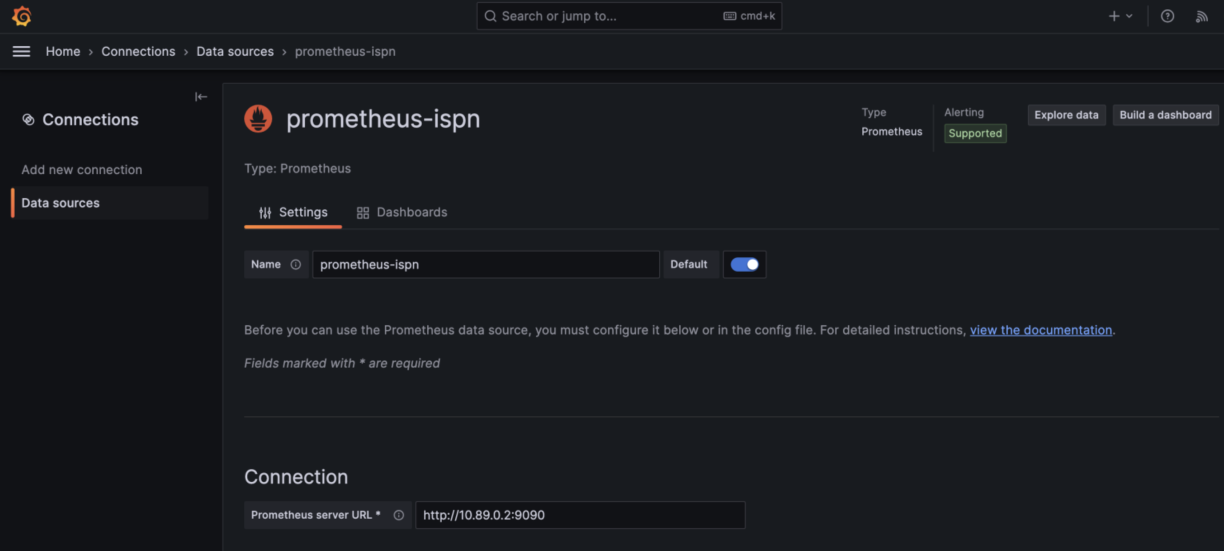
Next is setting-up Prometheus Datasource inside Grafana, where we need to put the name of our datasource, and also its connection URL. For this sample, we are putting Prometheus container’s IP inside.

Make sure we copy the uid of this Datasource (we can see it at the browser’s URL), since we are going to use it in the dashboard.

Next is to create a new Grafana Dashboard for Infinispan, we can use import functionality to import existing dashboard in the form of a json file. For this sample, we can download from below Github repository.

https://github.com/edwin/infinispan-grafana-dashboard/

Dont forget to replace the existing hardcoded datasource uid with our existing Datasource uid

"datasource": {
        "type": "prometheus",
        "uid": "eb756797-79c7-4893-bcc9-c4bfdc7c457d"
      },

Save, and we can see our Grafana Dashboard

Connecting Spring Boot to an Infinispan Cluster

Infinispan, or its supported product which is Red Hat DataGrid, is a very strong in-memory data grid product which offers flexible deployment options and robust capabilities for storing, managing, and processing data. And to maintain high availability and fault tolerance, Infinispan provides a clustering mechanism which have a multiple members.

For this article, im trying to create a cluster which consist of 3 Infinispan instances and all instances are being installed by using docker images. First we need to pull a specific Infinispan image,

$ docker pull infinispan/server:14.0.2.Final

And run 3 different instances of Infinispan,

$ docker run -p 11222:11222 -e USER=admin -e PASS=password \
        --add-host=HOST:192.168.56.1 \ 
        infinispan/server:14.0.2.Final
		
$ docker run -p 11223:11222 -e USER=admin -e PASS=password \
        --add-host=HOST:192.168.56.1 \ 
        infinispan/server:14.0.2.Final		

$ docker run -p 11224:11222 -e USER=admin -e PASS=password \
        --add-host=HOST:192.168.56.1 \ 
        infinispan/server:14.0.2.Final

Next is login to one of Infinispan instances which is located in localhost:11222, and login with credential of “admin” and “password”. A successfully cluster will give this display,

Once every Infinispan instances are started, we can now focus on our Java project. Lets start with pom.xml

<?xml version="1.0" encoding="UTF-8"?>
<project xmlns="http://maven.apache.org/POM/4.0.0"
         xmlns:xsi="http://www.w3.org/2001/XMLSchema-instance"
         xsi:schemaLocation="http://maven.apache.org/POM/4.0.0 http://maven.apache.org/xsd/maven-4.0.0.xsd">
    <modelVersion>4.0.0</modelVersion>

    <groupId>com.edw</groupId>
    <artifactId>spring-boot-and-clustered-infinispan</artifactId>
    <version>1.0-SNAPSHOT</version>

    <properties>
        <maven.compiler.source>17</maven.compiler.source>
        <maven.compiler.target>17</maven.compiler.target>
        <project.build.sourceEncoding>UTF-8</project.build.sourceEncoding>

        <version.infinispan>14.0.7.Final</version.infinispan>
        <version.protostream>4.6.2.Final</version.protostream>
        <version.spring.boot3>3.0.4</version.spring.boot3>
    </properties>

    <dependencyManagement>
        <dependencies>
            <dependency>
                <groupId>org.infinispan</groupId>
                <artifactId>infinispan-bom</artifactId>
                <version>${version.infinispan}</version>
                <type>pom</type>
                <scope>import</scope>
            </dependency>
            <dependency>
                <groupId>org.springframework.boot</groupId>
                <artifactId>spring-boot-starter-parent</artifactId>
                <version>${version.spring.boot3}</version>
                <type>pom</type>
                <scope>import</scope>
            </dependency>
        </dependencies>
    </dependencyManagement>


    <dependencies>
        <!-- Spring Boot -->
        <dependency>
            <groupId>org.springframework.boot</groupId>
            <artifactId>spring-boot-starter-web</artifactId>
        </dependency>

        <!-- infinispan -->
        <dependency>
            <groupId>org.infinispan</groupId>
            <artifactId>infinispan-spring-boot3-starter-remote</artifactId>
        </dependency>
        <dependency>
            <groupId>org.infinispan</groupId>
            <artifactId>infinispan-query</artifactId>
        </dependency>
        <dependency>
            <groupId>org.infinispan</groupId>
            <artifactId>infinispan-remote-query-client</artifactId>
        </dependency>
        <dependency>
            <groupId>org.infinispan.protostream</groupId>
            <artifactId>protostream-processor</artifactId>
            <scope>provided</scope>
        </dependency>
        <dependency>
            <groupId>org.infinispan</groupId>
            <artifactId>infinispan-client-hotrod</artifactId>
        </dependency>

    </dependencies>

    <build>
        <plugins>
            <plugin>
                <groupId>org.springframework.boot</groupId>
                <artifactId>spring-boot-maven-plugin</artifactId>
            </plugin>
        </plugins>
    </build>

</project>

And an application.properties, in here we can define how many instances of Infinispan that we are connecting to. For this sample, im putting 3 instances which are each having their own ip.

### server port
server.port=8080
spring.application.name=Spring Boot and Clustered Infinispan

## logging
logging.level.root=INFO
logging.pattern.console=%d{dd-MM-yyyy HH:mm:ss} %magenta([%thread]) %highlight(%-5level) %logger.%M - %msg%n

# infinispan
infinispan.remote.server-list=172.17.0.2:11222;172.17.0.3:11222;172.17.0.4:11222
infinispan.remote.auth-username=admin
infinispan.remote.auth-password=password
infinispan.remote.marshaller=org.infinispan.commons.marshall.ProtoStreamMarshaller

And create several Spring Boot’s Java classes, such as main class, controllers, beans, and configs.

@EnableCaching
@SpringBootApplication
public class Main {
    public static void main(String[] args) {
        SpringApplication.run(Main.class, args);
    }
}
@RestController
public class IndexController {

    @Autowired
    private RemoteCacheManager cacheManager;

    @GetMapping(path = "/")
    public HashMap index() {
        return new HashMap(){{
            put("hello", "world");
        }};
    }

    @GetMapping(path = "/get-user")
    public User getUsers(@RequestParam String name) {
        return (User) cacheManager.getCache("user-cache").getOrDefault(name, new User());
    }

    @GetMapping(path = "/add-user")
    public User addUsers(@RequestParam String name, @RequestParam Integer age, @RequestParam String address) {
        cacheManager.getCache("user-cache").put(name, new User(name, age, address));
        return (User) cacheManager.getCache("user-cache").getOrDefault(name, new User());
    }

}
public class User implements Serializable {
    private String name;

    private Integer age;

    private String address;

    public User() {
    }

    public User(String name, Integer age, String address) {
        this.name = name;
        this.age = age;
        this.address = address;
    }

    @ProtoField(number = 1, required = true)
    public String getName() {
        return name;
    }

    public void setName(String name) {
        this.name = name;
    }

    @ProtoField(number = 2)
    public Integer getAge() {
        return age;
    }

    public void setAge(Integer age) {
        this.age = age;
    }

    @ProtoField(number = 3)
    public String getAddress() {
        return address;
    }

    public void setAddress(String address) {
        this.address = address;
    }
}
@Configuration
public class InfinispanConfiguration {
    @Bean
    @Order(Ordered.HIGHEST_PRECEDENCE)
    public InfinispanRemoteCacheCustomizer remoteCacheCustomizer() {
        return b -> {
            b.remoteCache("user-cache").marshaller(ProtoStreamMarshaller.class);
        };
    }
}
@Component
public class InfinispanInitializer implements CommandLineRunner {

    @Autowired
    private RemoteCacheManager cacheManager;

    @Override
    public void run(String...args) throws Exception {
        SerializationContext ctx = MarshallerUtil.getSerializationContext(cacheManager);
        RemoteCache<String, String> protoMetadataCache = cacheManager.getCache(ProtobufMetadataManagerConstants.PROTOBUF_METADATA_CACHE_NAME);

        String msgSchemaFile = null;
        try {
            ProtoSchemaBuilder protoSchemaBuilder = new ProtoSchemaBuilder();
            msgSchemaFile = protoSchemaBuilder.fileName("user.proto").packageName("user").addClass(User.class).build(ctx);
            protoMetadataCache.put("user.proto", msgSchemaFile);
        } catch (Exception e) {
            throw new RuntimeException("Failed to build protobuf definition from 'User class'", e);
        }

        String errors = protoMetadataCache.get(ProtobufMetadataManagerConstants.ERRORS_KEY_SUFFIX);
        if (errors != null) {
            throw new IllegalStateException("Some Protobuf schema files contain errors: " + errors + "\nSchema :\n" + msgSchemaFile);
        }
    }
}

Run the code and try do some curl to add and retrieve data from cache,

$ curl -kv http://localhost:8080/add-user?name=lele&age=14&address=Jogja
{"name":"lele","age":14,"address":"Jogja"} 

$ curl -kv http://localhost:8080/get-user?name=lele
{"name":"lele","age":14,"address":"Jogja"} 

And we can check the content of our cache from our dashboard,

Have fun with Infinispan.

https://github.com/edwin/spring-boot-and-clustered-infinispan

Using Infinispan to Store Spring Boot’s HTTP Session

There are multiple ways of externalizing http session in Spring Boot, we can use a regular SQL database, or even a no-sql approach such as using Infinispan. For this sample, we are trying to integrate Spring Boot with Spring Security and externalizing its session to Infinispan.

So lets start with running an Infinispan instances,

$ docker pull infinispan/server:latest

$ docker run -p 11222:11222 -e USER=admin -e PASS=password infinispan/server

And create a new cache with the name of “app-session”, with a lifespan of one day, and and idle time of 5 minutes.

<?xml version="1.0"?>
<distributed-cache name="app-session" owners="1" mode="SYNC" statistics="true">
	<encoding>
		<key media-type="application/x-protostream"/>
		<value media-type="application/x-protostream"/>
	</encoding>
	<locking isolation="REPEATABLE_READ"/>
	<expiration lifespan="86400000" max-idle="300000"/>
</distributed-cache>

After that, we can focus on creating a new Java apps. We can start with a new pom.xml file,

<?xml version="1.0" encoding="UTF-8"?>
<project xmlns="http://maven.apache.org/POM/4.0.0"
         xmlns:xsi="http://www.w3.org/2001/XMLSchema-instance"
         xsi:schemaLocation="http://maven.apache.org/POM/4.0.0 http://maven.apache.org/xsd/maven-4.0.0.xsd">
    <modelVersion>4.0.0</modelVersion>

    <groupId>org.example</groupId>
    <artifactId>spring-infinispan-session</artifactId>
    <version>1.0-SNAPSHOT</version>

    <properties>
        <maven.compiler.source>11</maven.compiler.source>
        <maven.compiler.target>11</maven.compiler.target>
        <project.build.sourceEncoding>UTF-8</project.build.sourceEncoding>
        <infinispan.version>14.0.1.Final</infinispan.version>
        <spring-session.version>2.7.0</spring-session.version>
        <spring-boot.version>2.7.0</spring-boot.version>
    </properties>

    <dependencyManagement>
        <dependencies>
            <dependency>
                <groupId>org.infinispan</groupId>
                <artifactId>infinispan-bom</artifactId>
                <version>${infinispan.version}</version>
                <type>pom</type>
                <scope>import</scope>
            </dependency>
            <dependency>
                <groupId>org.springframework.boot</groupId>
                <artifactId>spring-boot-starter-parent</artifactId>
                <version>${spring-boot.version}</version>
                <type>pom</type>
                <scope>import</scope>
            </dependency>
        </dependencies>
    </dependencyManagement>

    <dependencies>
        <!-- spring boot -->
        <dependency>
            <groupId>org.springframework.boot</groupId>
            <artifactId>spring-boot-starter</artifactId>
        </dependency>
        <dependency>
            <groupId>org.springframework.boot</groupId>
            <artifactId>spring-boot-starter-web</artifactId>
        </dependency>

        <!-- spring security -->
        <dependency>
            <groupId>org.springframework.boot</groupId>
            <artifactId>spring-boot-starter-security</artifactId>
        </dependency>

        <!-- storing session in external storage -->
        <dependency>
            <groupId>org.springframework.session</groupId>
            <artifactId>spring-session-core</artifactId>
            <version>${spring-session.version}</version>
        </dependency>
        <dependency>
            <groupId>org.infinispan</groupId>
            <artifactId>infinispan-spring-boot-starter-remote</artifactId>
            <version>${infinispan.version}</version>
        </dependency>

    </dependencies>
</project>

And application.properties,

# spring boot
server.port=8080

# infinispan
infinispan.remote.server-list=127.0.0.1:11222
infinispan.remote.auth-username=admin
infinispan.remote.auth-password=password

# serialization
infinispan.remote.java-serial-whitelist=java.lang.*

And we can start with to code our Java files,

package com.edw;

import org.infinispan.spring.remote.session.configuration.EnableInfinispanRemoteHttpSession;
import org.springframework.boot.SpringApplication;
import org.springframework.boot.autoconfigure.SpringBootApplication;
import org.springframework.cache.annotation.EnableCaching;

@SpringBootApplication
@EnableCaching
@EnableInfinispanRemoteHttpSession(cacheName = "app-session")
public class Application {
    public static void main(String[] args) {
        SpringApplication.run(Application.class, args);
    }
}
package com.edw.controller;

import org.infinispan.spring.remote.provider.SpringRemoteCacheManager;
import org.springframework.beans.factory.annotation.Autowired;
import org.springframework.security.core.Authentication;
import org.springframework.security.core.context.SecurityContextHolder;
import org.springframework.web.bind.annotation.GetMapping;
import org.springframework.web.bind.annotation.RestController;

import java.util.HashMap;

@RestController
public class IndexController {

    @Autowired
    SpringRemoteCacheManager cacheManager;

    @GetMapping(path = "/")
    public HashMap index() {
        Authentication auth = SecurityContextHolder.getContext().getAuthentication();
        return new HashMap(){{
            put("hello", auth.getName());
        }};
    }
}
package com.edw.config;

import org.springframework.security.config.annotation.authentication.builders.AuthenticationManagerBuilder;
import org.springframework.security.config.annotation.method.configuration.EnableGlobalMethodSecurity;
import org.springframework.security.config.annotation.web.builders.HttpSecurity;
import org.springframework.security.config.annotation.web.configuration.WebSecurityConfigurerAdapter;
import org.springframework.security.web.util.matcher.AntPathRequestMatcher;

@EnableGlobalMethodSecurity(prePostEnabled = true)
public class SecurityConfiguration extends WebSecurityConfigurerAdapter {

    @Override
    protected void configure(AuthenticationManagerBuilder auth) throws Exception {
        auth
                .inMemoryAuthentication()
                .withUser("admin")
                .password("{noop}password")
                .roles("ADMIN")
            .and()
                .withUser("user")
                .password("{noop}password")
                .roles("USER");
    }

    @Override
    protected void configure(HttpSecurity http) throws Exception{
        super.configure(http);
        http
                .logout()
                .logoutRequestMatcher(new AntPathRequestMatcher("/logout"))
            .and()
                .csrf()
                .disable();
    }
}
package com.edw.config;

import org.infinispan.commons.marshall.ProtoStreamMarshaller;
import org.infinispan.spring.starter.remote.InfinispanRemoteCacheCustomizer;
import org.springframework.context.annotation.Bean;
import org.springframework.context.annotation.Configuration;
import org.springframework.core.Ordered;
import org.springframework.core.annotation.Order;

@Configuration
public class InfinispanConfiguration {

    @Bean
    @Order(Ordered.HIGHEST_PRECEDENCE)
    public InfinispanRemoteCacheCustomizer remoteCacheCustomizer() {
        return b -> {
            b.remoteCache("app-session").marshaller(ProtoStreamMarshaller.class);
        };
    }
}

If some NullPointerException happens, make sure that your cache is created first before we start our Java apps.

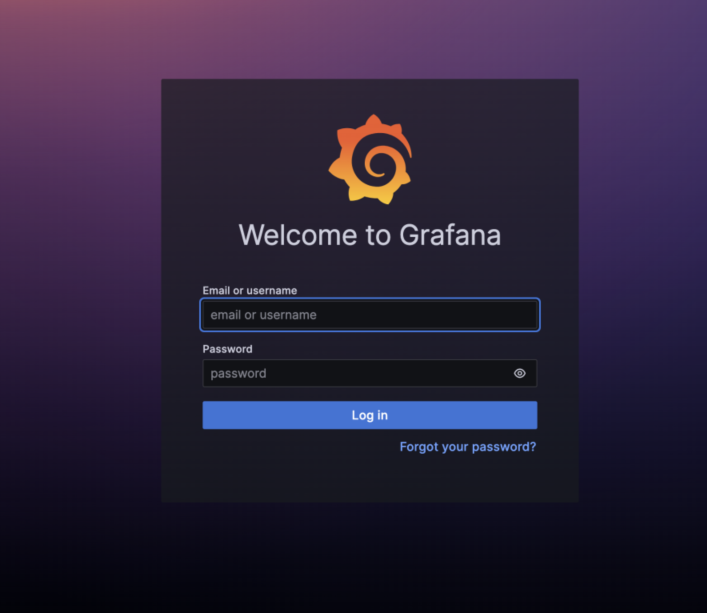
We can run the code and see our Spring Security default login page,

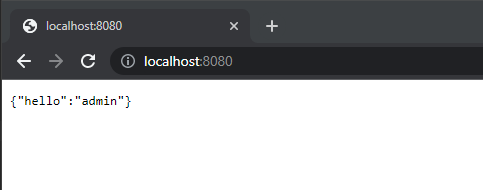
User admin as username, and password as its password to login, and we can see the login result,

And we can see the number of entries in increased on our app-session cache,

Code for this application can be found in below repository,

https://github.com/edwin/spring-boot-and-infinispan-http-session