Multi-Tenancy System with JBoss EAP 8 Connection Pooling
Basically a multi-tenancy system is a condition where one single instance of a software is able to handle multple distinct customers with each having their own database. The concept is perhaps can be seen in below image,

We can start by uploading database driver that is required to connect to the existing database, for this sample we are using MySql Database
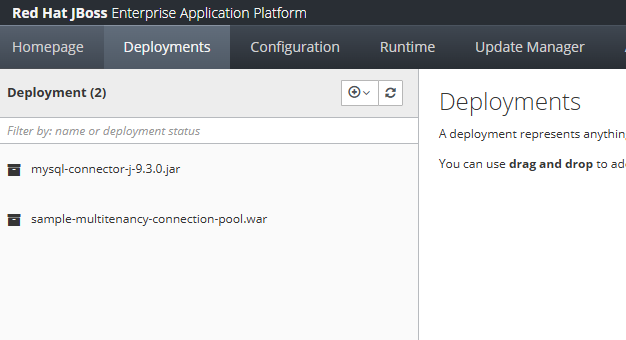
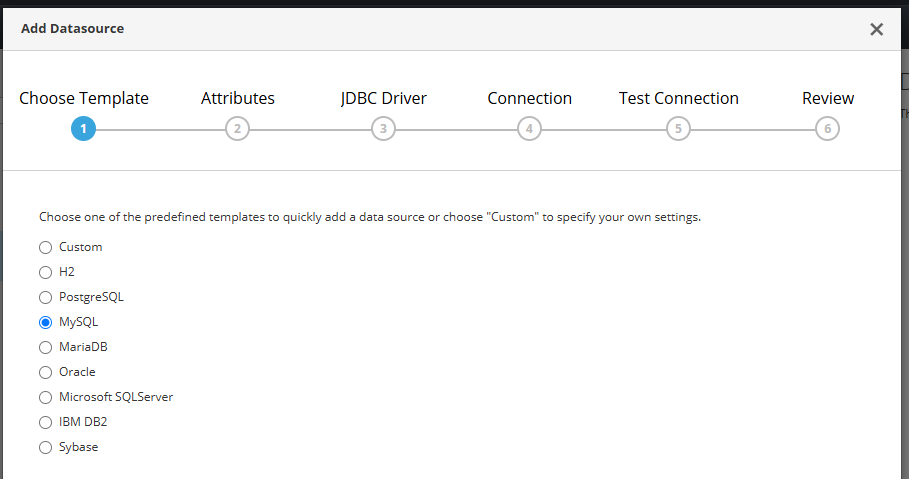
creating a Database connection on JBoss EAP Datasource,

choose MySql,
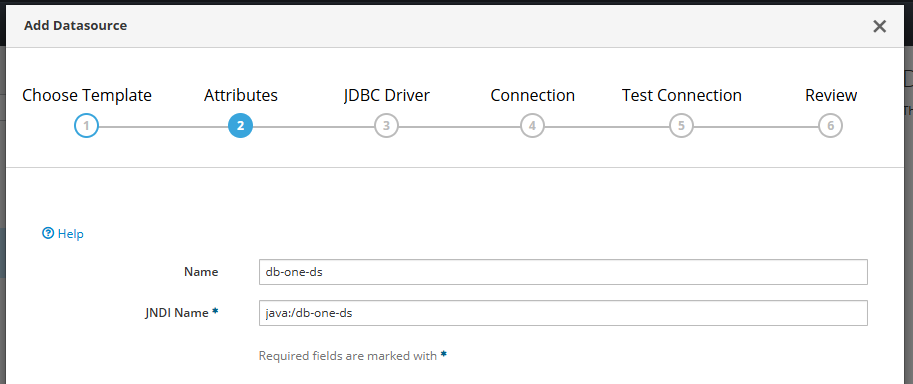
create JNDI name
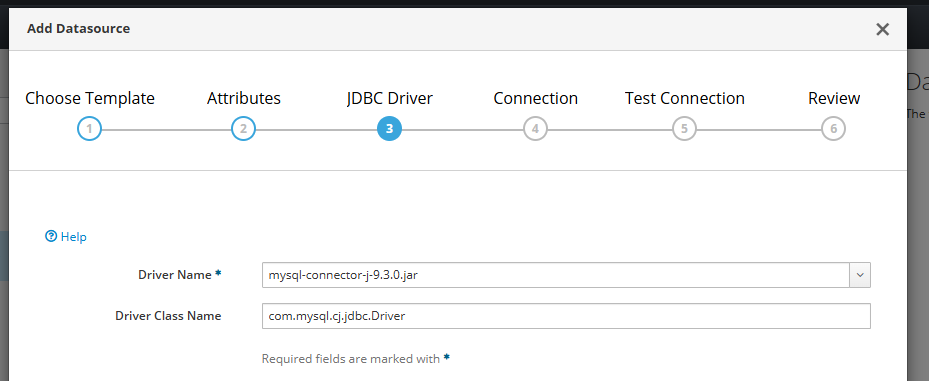
and select driver,
put database credentials there,
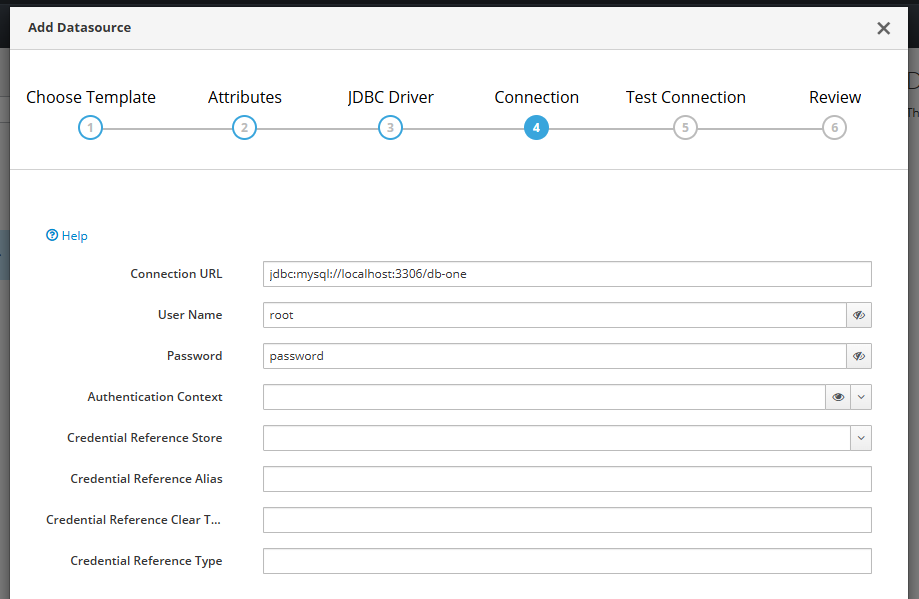
test the connection,
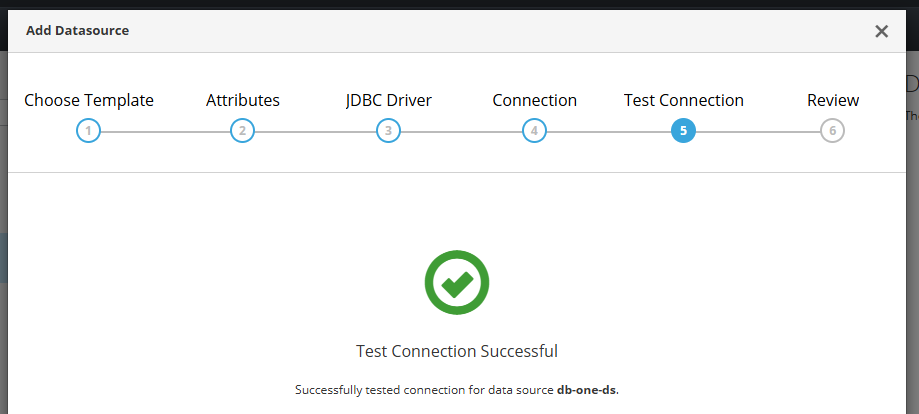
and save it.
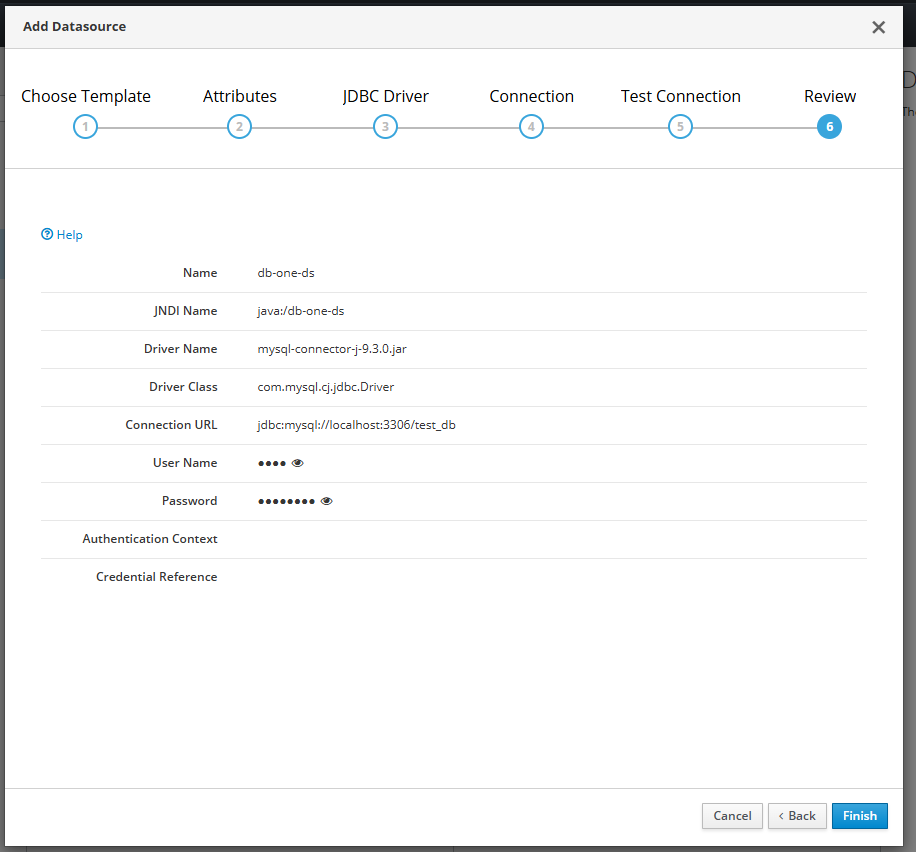
If we have lots of different database connection, we can define it on our JBoss EAP standalone.xml manually instead of putting them one by one from JBoss EAP console,
<datasource jndi-name="java:/db-one-ds" pool-name="db-one-ds">
    <connection-url>jdbc:mysql://localhost:3306/db-one</connection-url>
    <driver-class>com.mysql.cj.jdbc.Driver</driver-class>
    <driver>mysql-connector-j-9.3.0.jar</driver>
    <security>
        <user-name>aaaa</user-name>
        <password>bbbb</password>
    </security>
</datasource>

<datasource jndi-name="java:/db-two-ds" pool-name="db-two-ds">
    <connection-url>jdbc:mysql://localhost:3306/db-two</connection-url>
    <driver-class>com.mysql.cj.jdbc.Driver</driver-class>
    <driver>mysql-connector-j-9.3.0.jar</driver>
    <security>
        <user-name>aaaa</user-name>
        <password>bbbb</password>
    </security>
</datasource>
Next is to create a database connection in our Java file
package com.edw.helper;

import javax.naming.Context;
import javax.naming.InitialContext;
import javax.sql.DataSource;
import java.sql.Connection;
import java.sql.SQLException;

public class DatabaseHelper {

    private DataSource ds = null;

    public DatabaseHelper() {
    }

    public DatabaseHelper(String customerId) {
        try {
            Context initCxt = new InitialContext();
            ds = (DataSource) initCxt.lookup(String.format("java:/%s-ds", customerId));
        } catch (Exception e) {
            e.printStackTrace();
        }
    }

    public Connection getConnection() throws SQLException {
        return ds.getConnection();
    }
}
and create a service class.
package com.edw.service;

import com.edw.helper.DatabaseHelper;

import java.util.ArrayList;
import java.util.HashMap;
import java.util.List;
import java.util.Map;

import java.sql.Connection;
import java.sql.PreparedStatement;
import java.sql.ResultSet;

public class UserService {

    private DatabaseHelper databaseHelper;

    public UserService() {
    }

    public List<Map> select(String customerId, Integer start, Integer limit) {

        List<Map> list = new ArrayList<>();

        databaseHelper = new DatabaseHelper(customerId);
        String sql = "select * from tb_testing order by id limit ?, ?";

        try (Connection conn = databaseHelper.getConnection();
             PreparedStatement preparedStmt = conn.prepareStatement(sql)) {

            preparedStmt.setInt(1, start);
            preparedStmt.setInt(2, limit);

            try (ResultSet resultSet = preparedStmt.executeQuery()) {
                while (resultSet.next()) {
                    Integer id = resultSet.getInt(1);
                    String username = resultSet.getString(2);

                    list.add(new HashMap() {{
                        put("id", id);
                        put("username", username);
                    }});
                }
            }
        } catch (Exception e) {
            e.printStackTrace();
        }

        return list;
    }

}
and our controller file,
package com.edw.controller;

import com.edw.service.UserService;

import com.google.gson.Gson;
import jakarta.servlet.ServletException;
import jakarta.servlet.annotation.WebServlet;
import jakarta.servlet.http.HttpServlet;
import jakarta.servlet.http.HttpServletRequest;
import jakarta.servlet.http.HttpServletResponse;
import java.io.IOException;
import java.io.PrintWriter;
import java.util.List;
import java.util.Map;

@WebServlet(name = "IndexController", urlPatterns = "/index")
public class IndexController extends HttpServlet {

    private static final long serialVersionUID = 1L;

    private UserService userService = new UserService();

    @Override
    protected void doGet(HttpServletRequest request,
                         HttpServletResponse response)
            throws ServletException, IOException {

        String customerId = request.getParameter("customerId");
        List<Map> result = userService.select(customerId, 0, 10);

        response.setContentType("application/json");

        PrintWriter out = response.getWriter();
        out.println(new Gson().toJson(result));
    }
}
with pom.xml
<?xml version="1.0" encoding="UTF-8"?>
<project xmlns="http://maven.apache.org/POM/4.0.0"
         xmlns:xsi="http://www.w3.org/2001/XMLSchema-instance"
         xsi:schemaLocation="http://maven.apache.org/POM/4.0.0 http://maven.apache.org/xsd/maven-4.0.0.xsd">
    <modelVersion>4.0.0</modelVersion>

    <groupId>com.edw</groupId>
    <artifactId>multitenancy-connection-pool-with-jboss-8</artifactId>
    <version>1.0-SNAPSHOT</version>
    <packaging>war</packaging>

    <properties>
        <maven.compiler.source>21</maven.compiler.source>
        <maven.compiler.target>21</maven.compiler.target>
        <project.build.sourceEncoding>UTF-8</project.build.sourceEncoding>
    </properties>

    <dependencies>
        <dependency>
            <groupId>jakarta.platform</groupId>
            <artifactId>jakarta.jakartaee-web-api</artifactId>
            <version>10.0.0</version>
            <scope>provided</scope>
        </dependency>
        <dependency>
            <groupId>com.google.code.gson</groupId>
            <artifactId>gson</artifactId>
            <version>2.13.1</version>
        </dependency>
    </dependencies>

    <build>
        <plugins>
            <plugin>
                <groupId>org.apache.maven.plugins</groupId>
                <artifactId>maven-compiler-plugin</artifactId>
                <version>3.13.0</version>
            </plugin>
            <plugin>
                <groupId>org.apache.maven.plugins</groupId>
                <artifactId>maven-war-plugin</artifactId>
                <version>3.4.0</version>
                <configuration>
                    <warName>${project.name}</warName>
                    <failOnMissingWebXml>false</failOnMissingWebXml>
                </configuration>
            </plugin>
        </plugins>
    </build>
</project>
and finally we can test our application connectivity by using below command,
$ curl -kv http://127.0.0.1:8080/index?customerId=db-one
*   Trying 127.0.0.1:8080...
* Connected to 127.0.0.1 (127.0.0.1) port 8080
> GET /index?customerId=db-one HTTP/1.1
> Host: 127.0.0.1:8080
> User-Agent: curl/8.4.0
> Accept: */*
>
< HTTP/1.1 200 OK
< Connection: keep-alive
< Content-Type: application/json;charset=ISO-8859-1
< Content-Length: 594
< Date: Sun, 25 May 2025 15:31:57 GMT
<
[{"id":1,"username":"username 001"}]
* Connection #0 to host 127.0.0.1 left intact
Sample for the code can be found on below Github link,
https://github.com/edwin/multitenancy-connection-pool-with-jboss-8